All Categories > Tracking Time and Absences > How do I create and edit a public holiday calendar?
How do I create and edit a public holiday calendar?

This article shows you how you can edit leave entitlements and view changes directly in the user's settings in your TimeTac account. So there is no need to cross-reference with Absences calendar/menu.
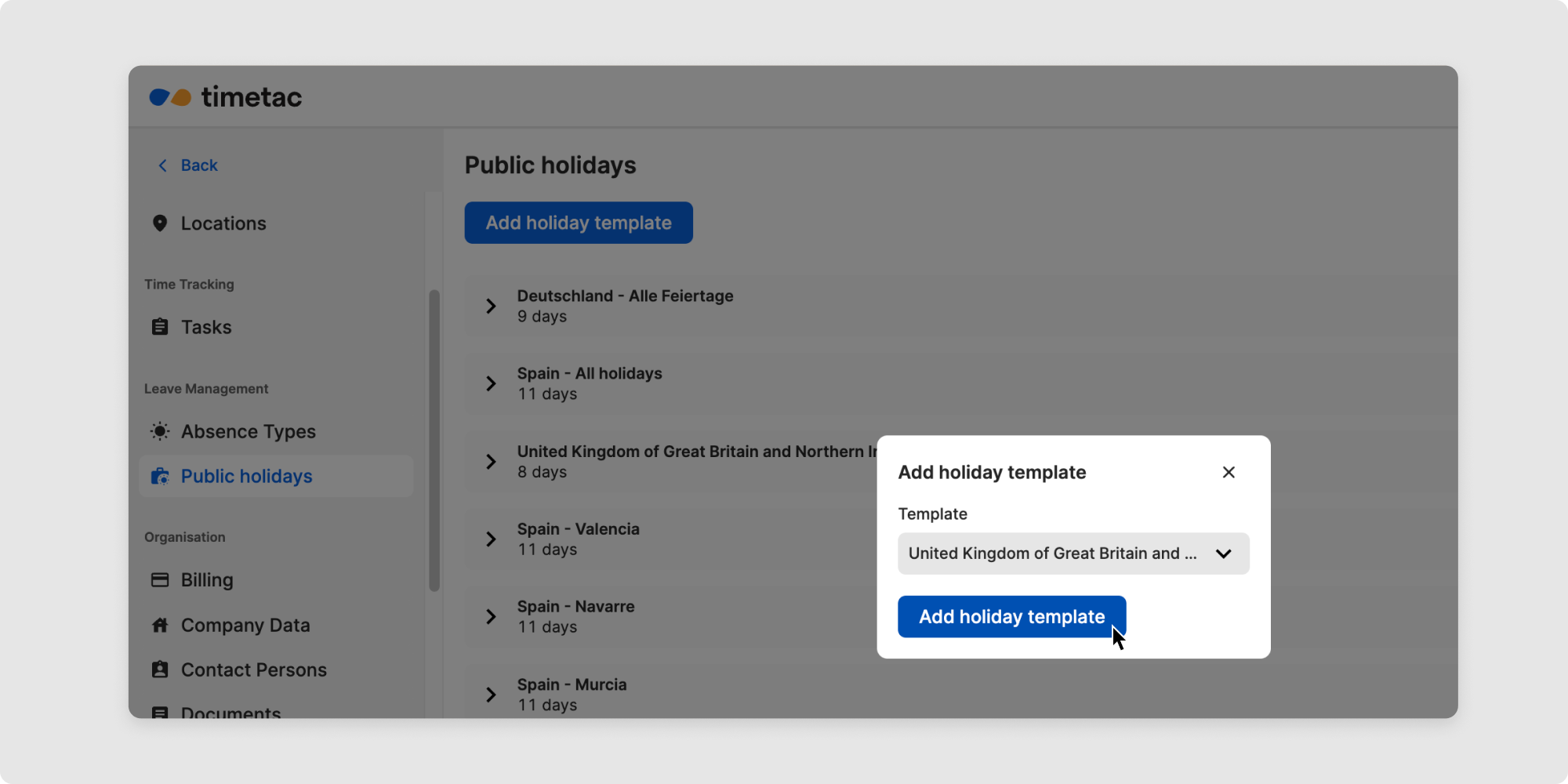
Go to the Settings menu. Under Leave management, you will find the item Public holidays.
Click the Add holiday template button and select the desired template(s).
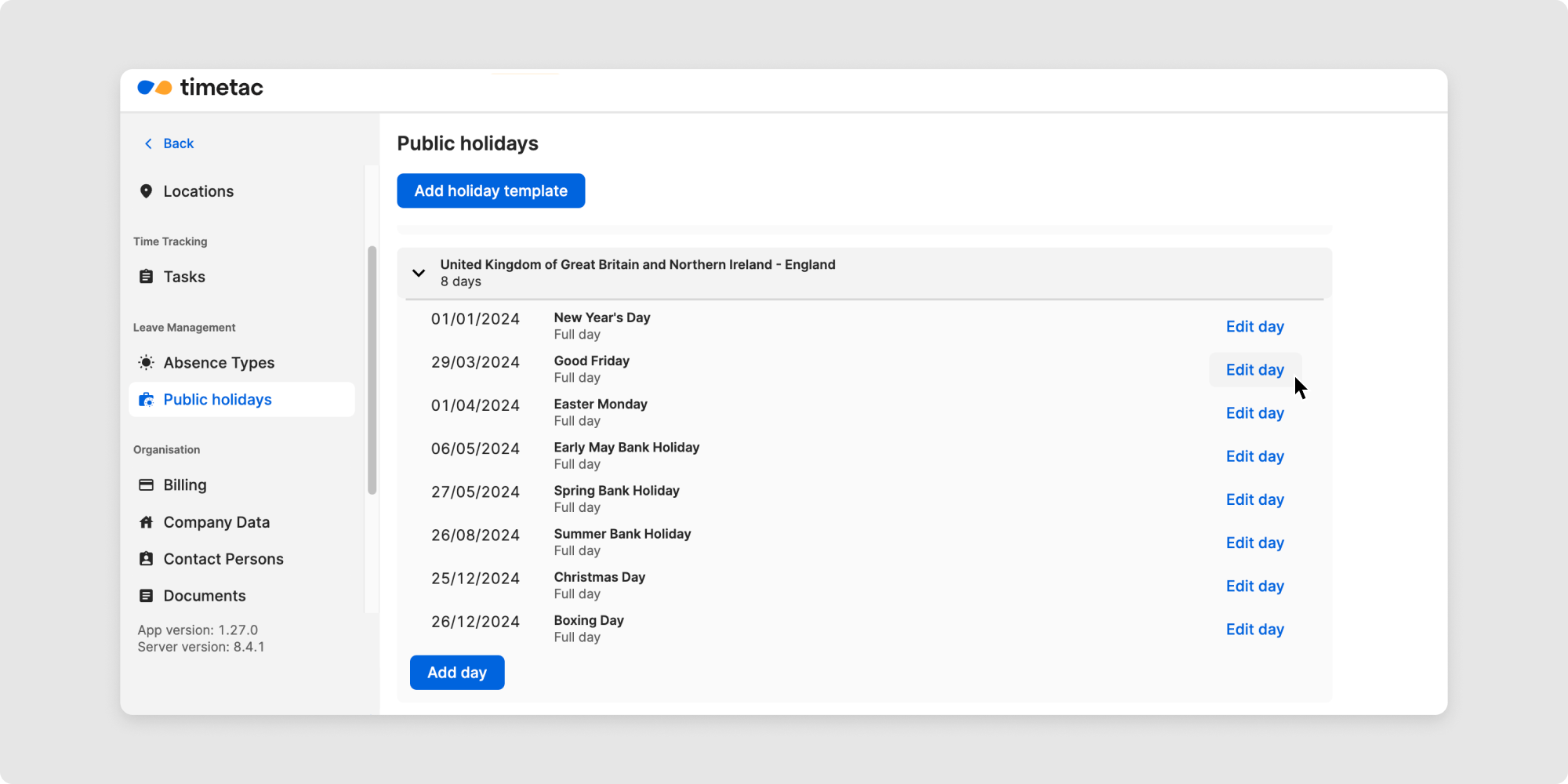
Edit public holiday calendar:
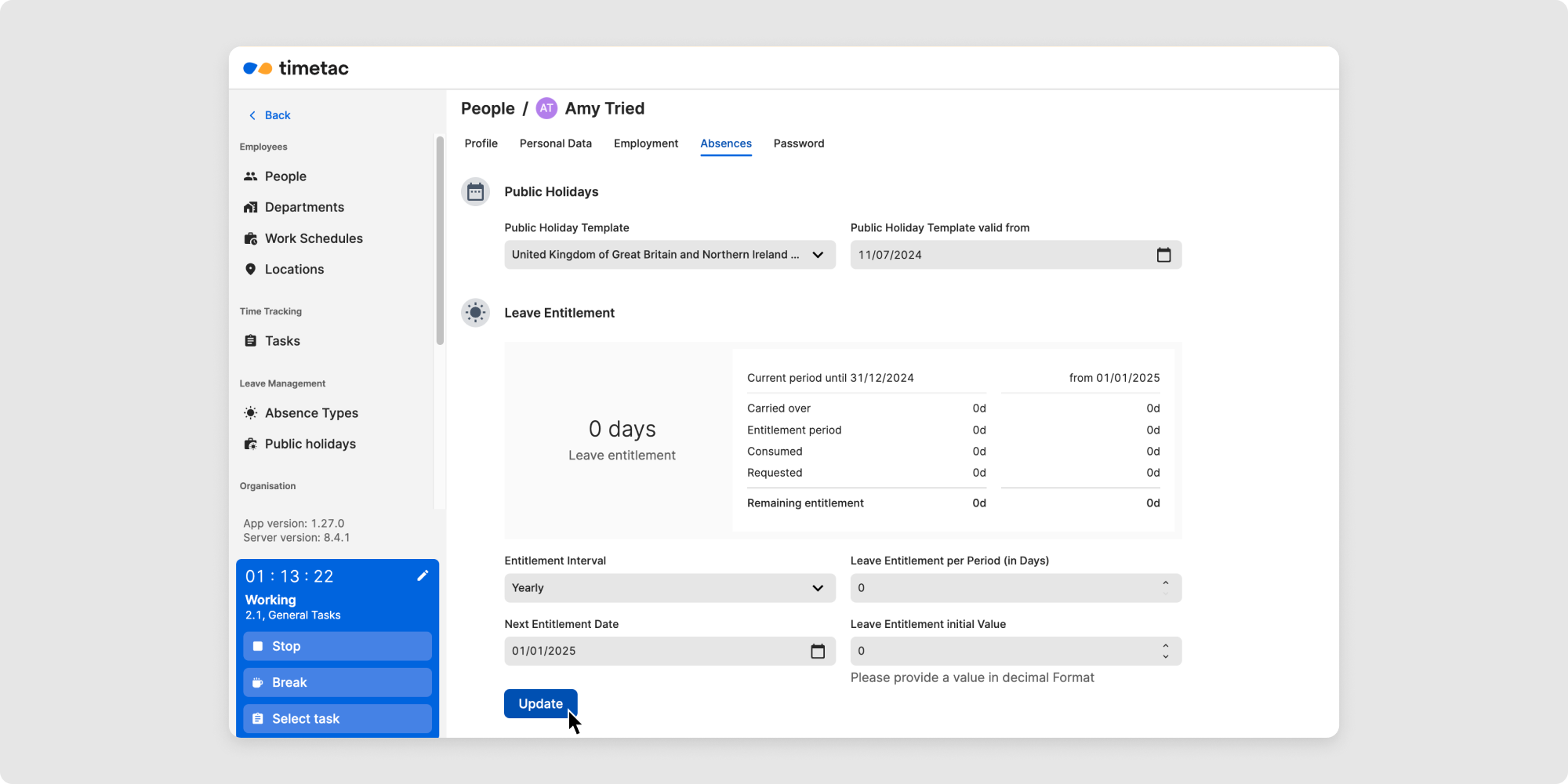
Assign and view public holiday calendar:

Related Articles
How can I edit and view leave entitlement?
How is my annual leave entitlement calculated?
How can I set the amount of annual leave entitlement?
What are absences?
How can I see if my colleagues are working?
How is my working time balance calculated?
How can I see my tracked time?
How can I delete timestamps?
How can I correct my timestamps?
How to view and check timestamps?