All Categories > Integrations > How do I create API Credentials?
How do I create API Credentials?

In this article you learn how to create your own API Credentials.
1Go to Settings and click API Credentials.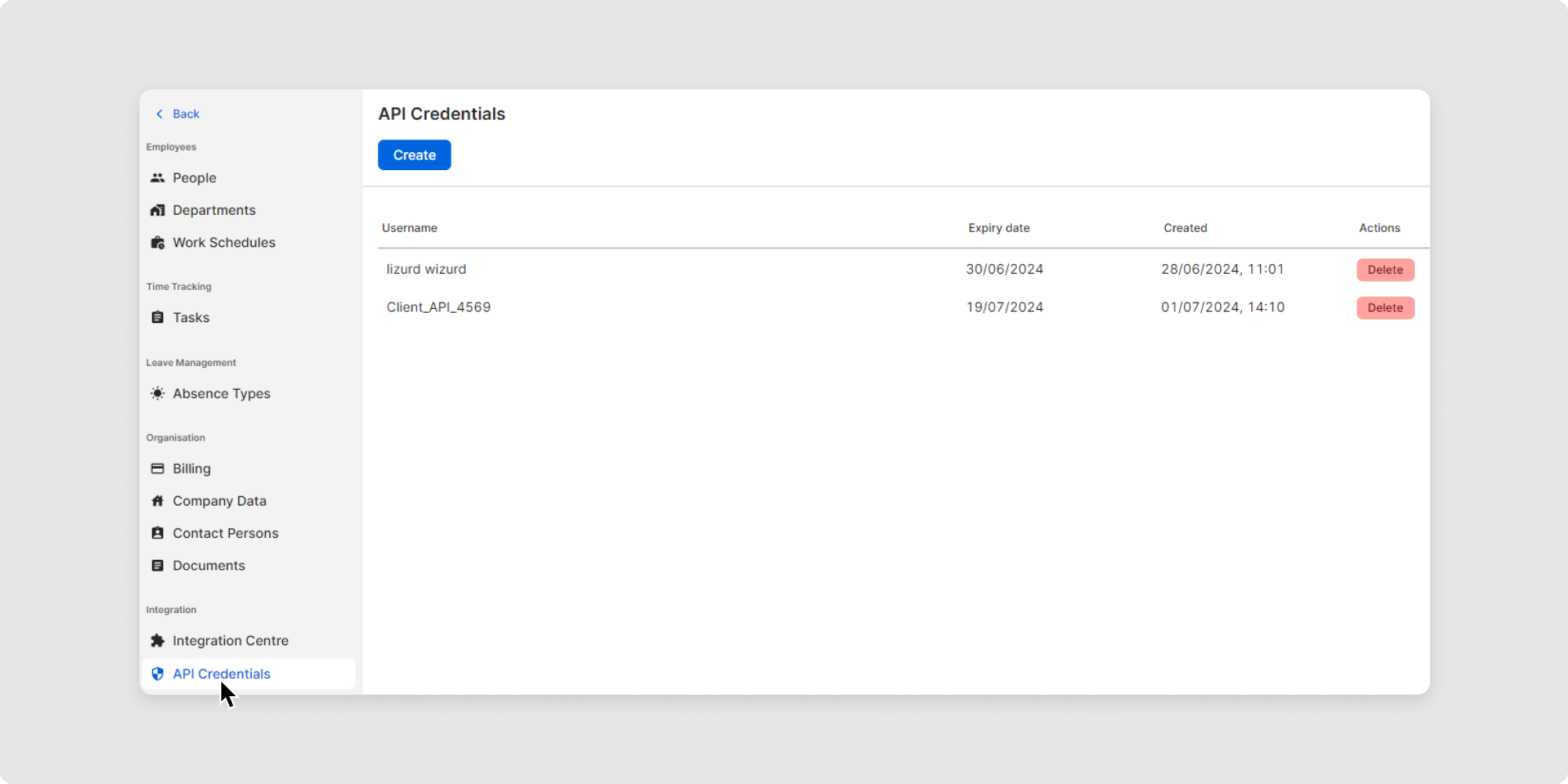
2Click on Create.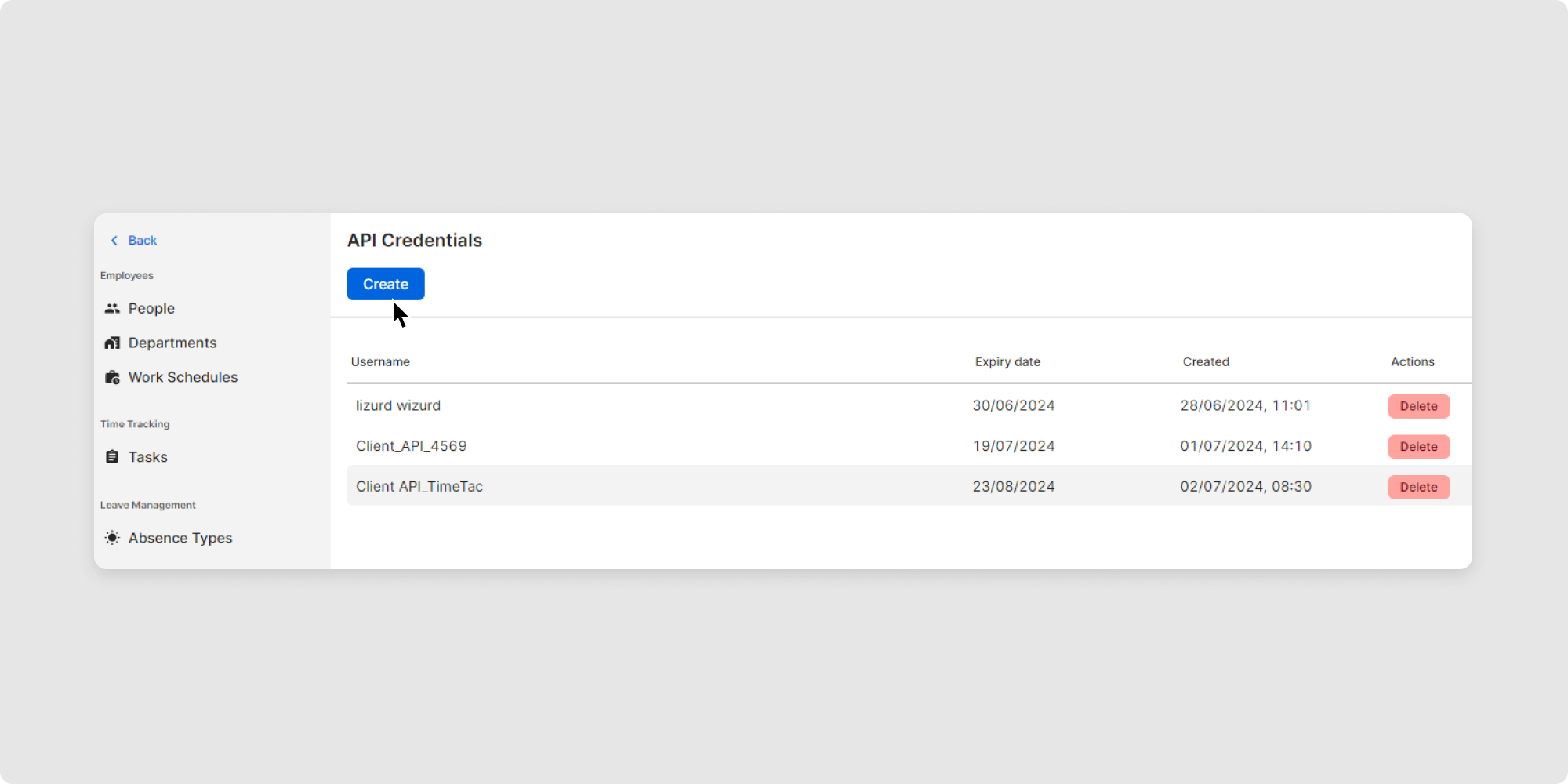
3Choose a name for the set of credentials (to distinguish between them when more than one set of credentials is created for different integrations, e.g.) and an expiry date.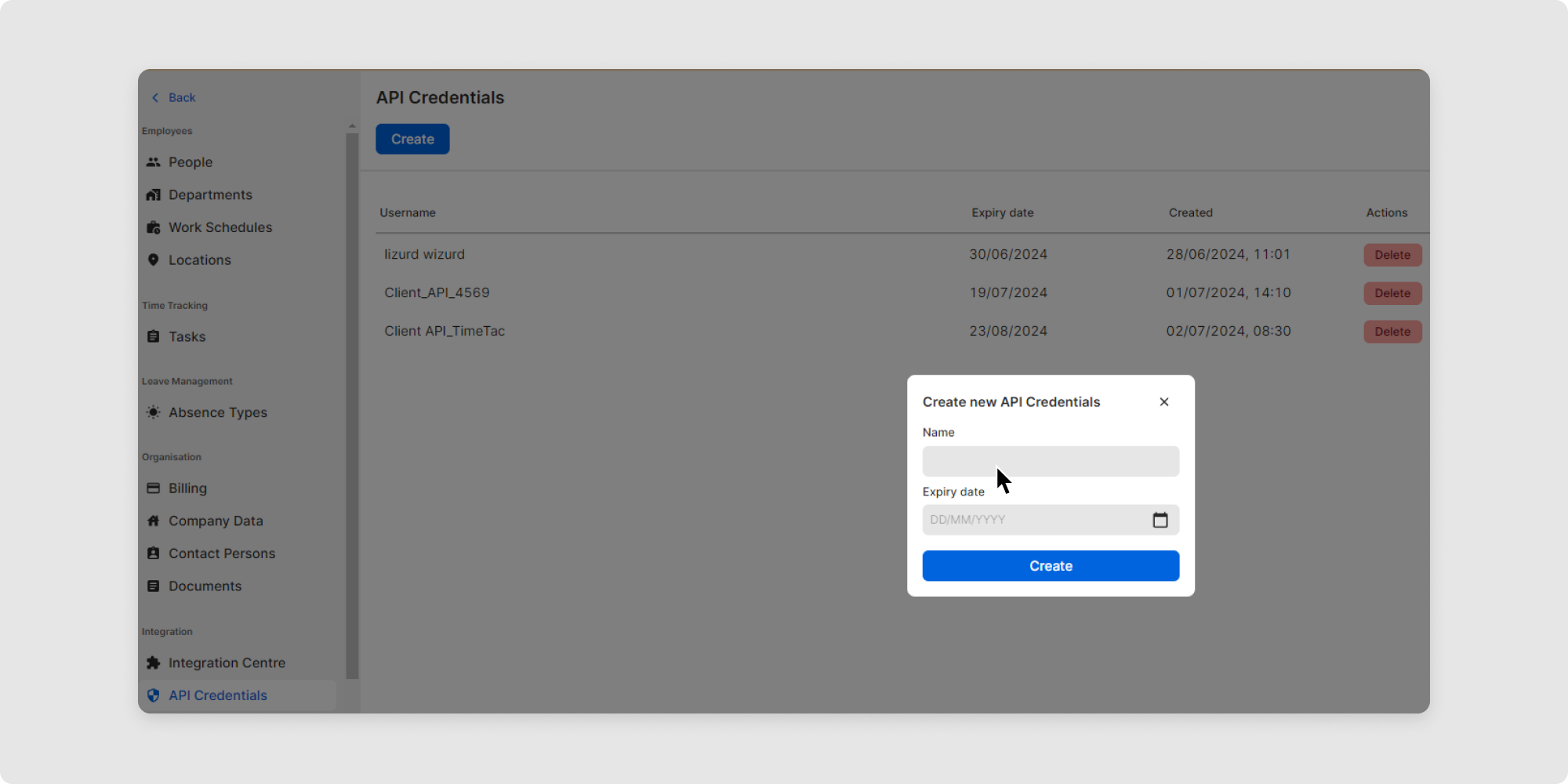
4Safely store credentials somewhere on your end.
And you have already created your access data and can start using the API! Click here for our API instructions.
